
Build powerful Android automation.
Android Automation Platform
Automate repetitive Android tasks with no-code blocks, a visual Logic workspace or Lua scripts. Image, text and color detection plus 700+ APIs in one app. No root required.

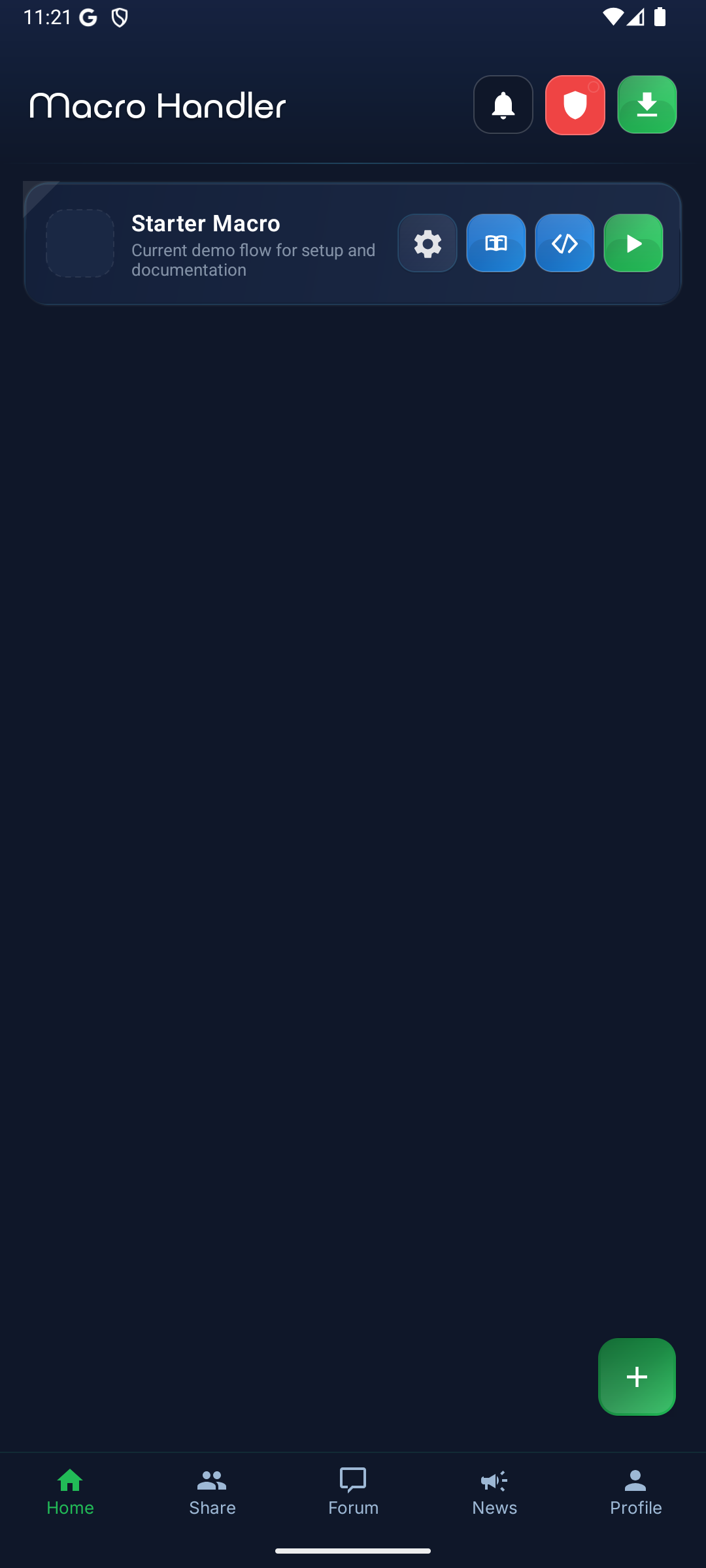
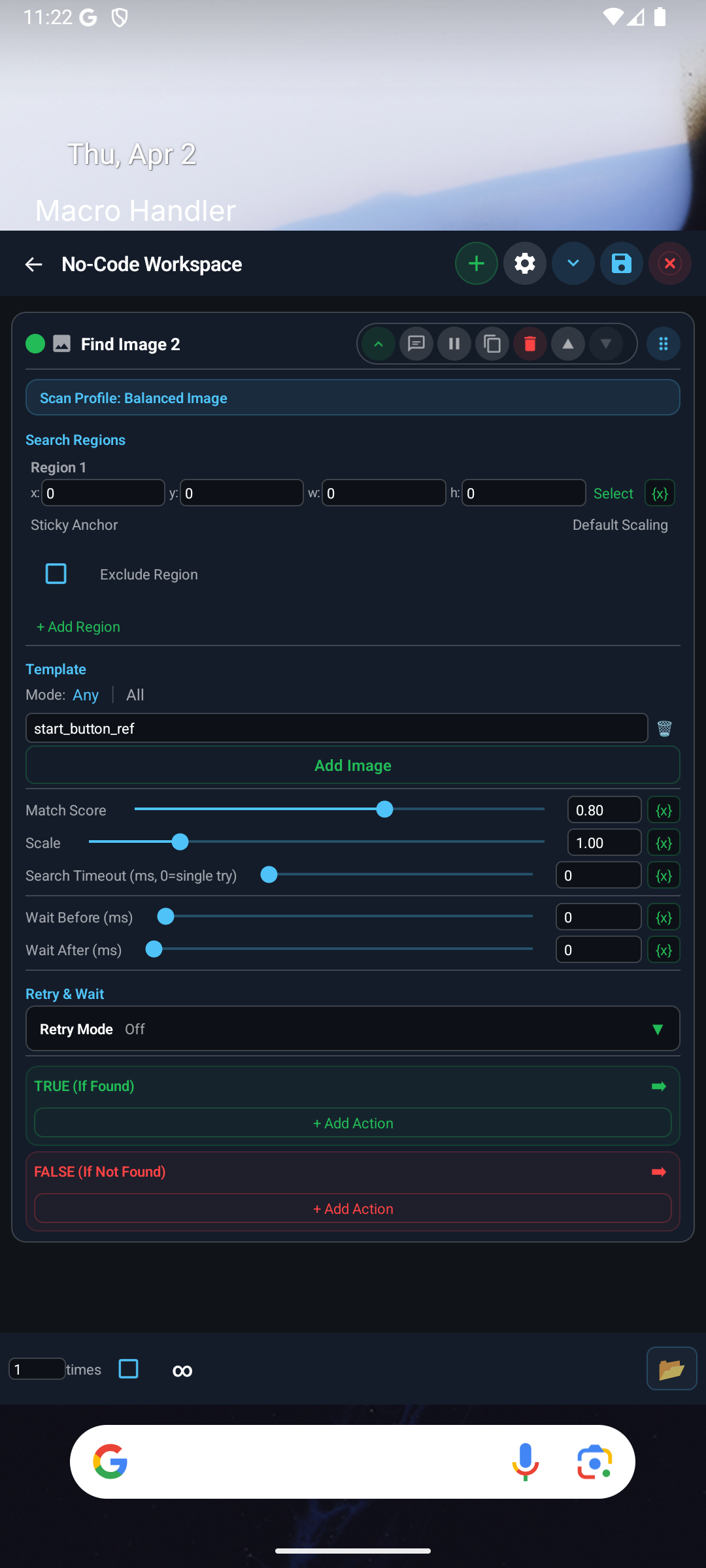
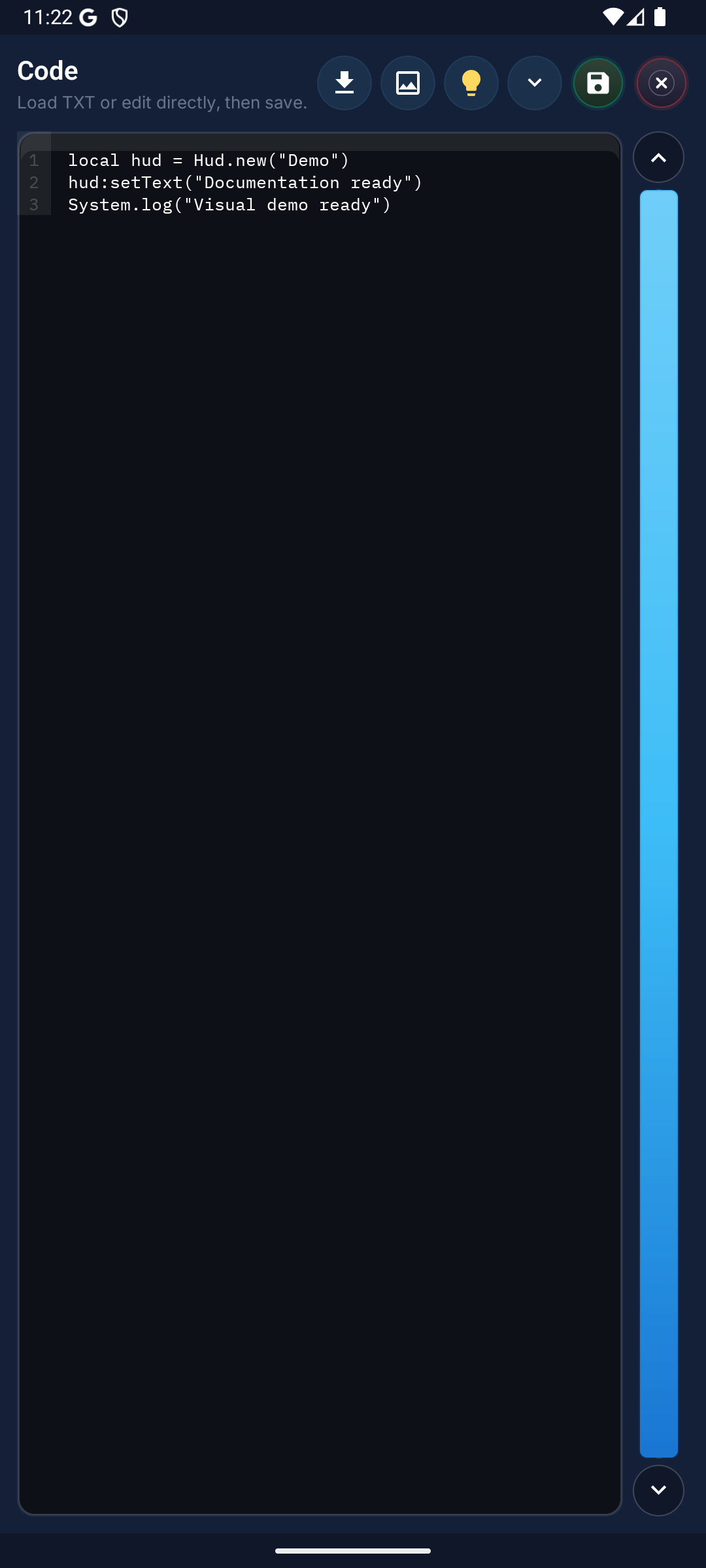
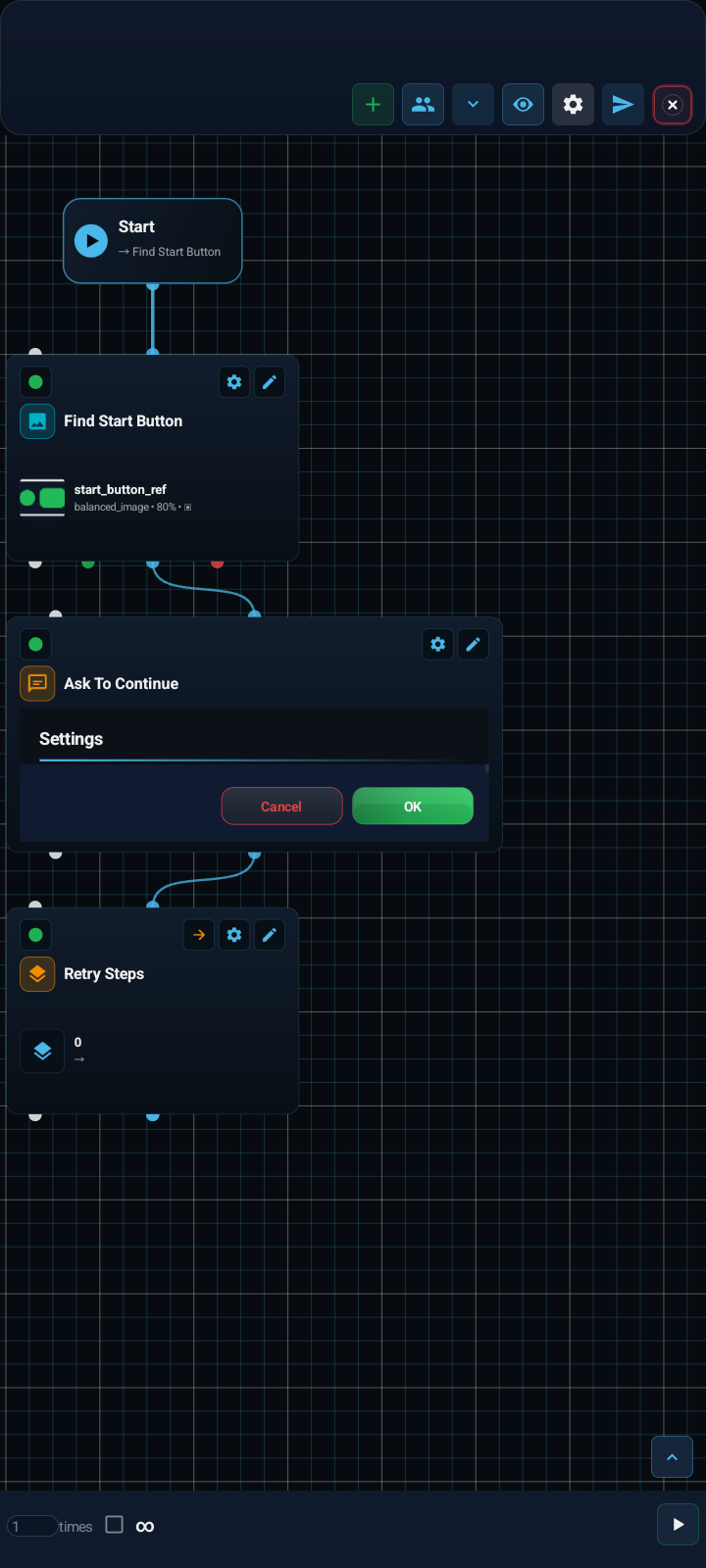
Inside the app
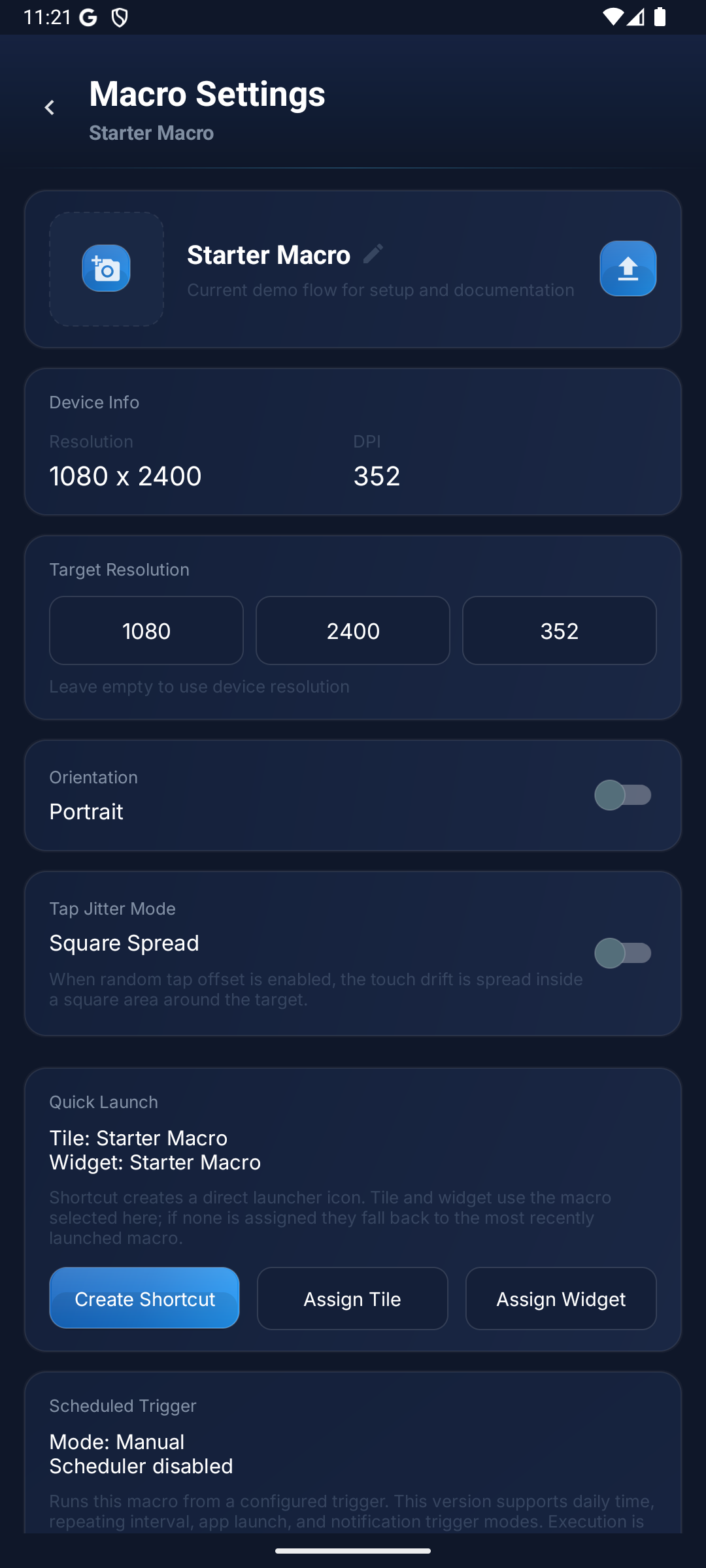
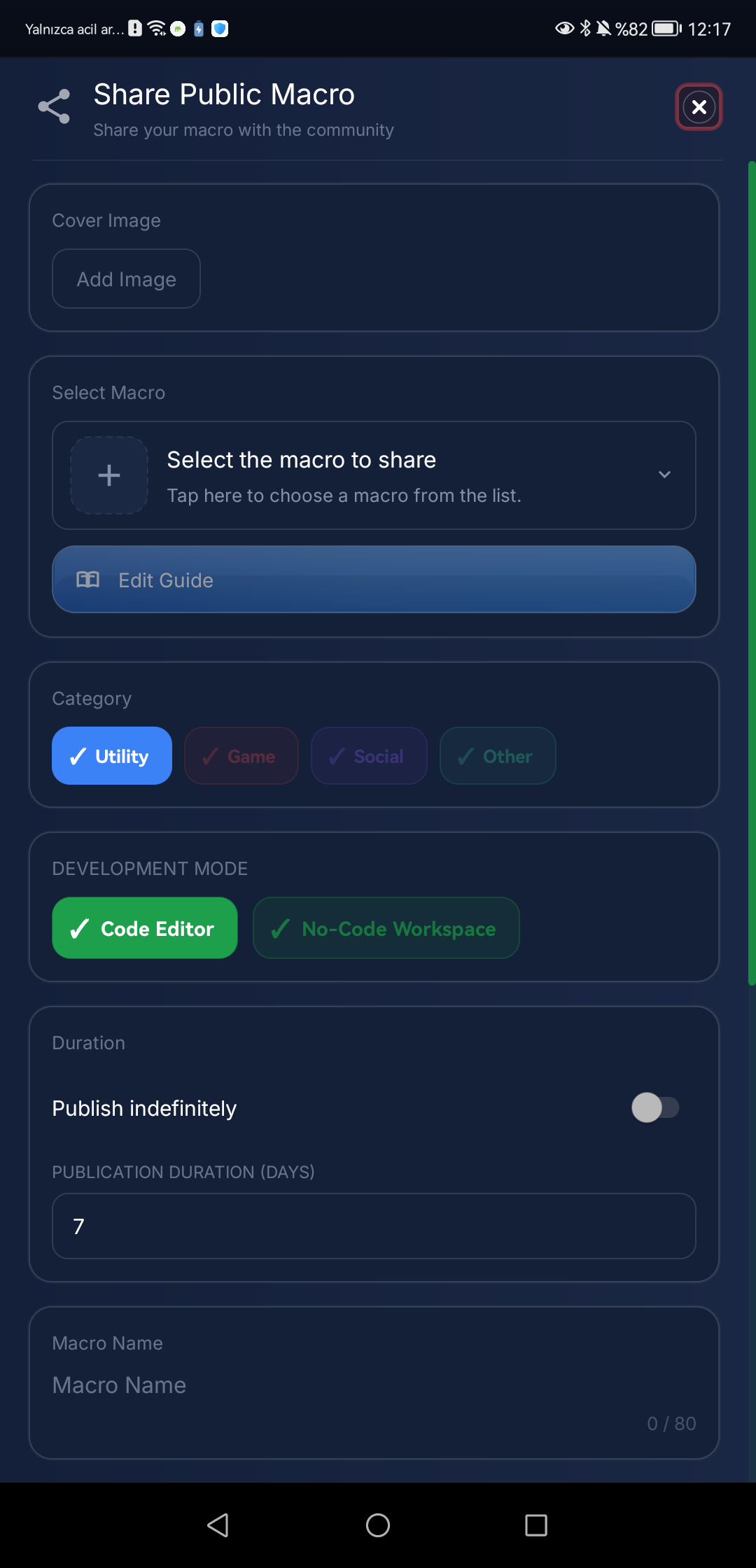
The Logic workspace, macro settings with quick launch from a shortcut, tile or widget, and community sharing, all in the same Android app.
- 79No-code blocks+2 blocksComing soonv1.0.52
- 800+Lua API methods60 global objects
- 7OCR writing systems70 language codes
- 14Interface languagesWebsite and app
- NO ROOT Required
- Android 7.0+
- Guided setup included
Privacy & Data Rights
- Privacy Policy
What data we collect, how we process it, and how long we retain it is documented in full.
- GDPR & KVKK Rights
Step-by-step paths for exercising access, rectification, erasure, and portability rights.
- Cookie Policy
Purpose, retention window, and consent basis for every cookie category are disclosed plainly.
- Data Deletion Right
Your account and data can be fully deleted from the in-app flow or the support channel.
Highlights
Built for more than simple taps
From a visual Logic workspace to detection guided by your reference screenshots. Every card links to more detail.
Logic Workspace
A visual graph editor for the same macro: drag blocks onto a canvas, connect compatible ports with cables and route IF/ELSE outcomes to the block you want. Every node keeps its own Test and Settings controls.
Logic workspace guide- Newv1.0.51
New Image Engines
The Image block adds Grayscale, Pixel exact, Edge direction (experimental) and Feature points (SIFT) next to the existing engines. Matching respects transparent cut-outs and keeps the tap inside the visible object. Tap to cut and Box cut in the image editor remove the background, and each template can take a condition on a variable or Dialog field, so it is searched only when that condition holds.
Image block - Newv1.0.51
Agent Detect
Mark a target in one or more reference screenshots; Agent Detect finds look-alike targets on screen and keeps tracking them from frame to frame. It compares visual appearance rather than meaning and recognizes targets on the device, offline.
Agent Detect block - Newv1.0.51
My Agent Routine
Record a demonstration or your taps, review the routine it produces, rehearse it and approve the takeover. Before every tap the Agent finds the target again on a fresh screen instead of replaying recorded positions, and it stays within the time and tap limits you set. You can stop it at any time.
My Agent Routine block - Newv1.0.51
Navigation
Follows an ordered route on a reference map using the measured player position, with calibration and live feedback steering the joystick. It needs Android 8.0 or later. Lost position, stale frames or a hard route deviation release the joystick and stop navigation. Whether a route completes depends on the game, so test it on your own setup before relying on it.
Navigation block - Premium
Cloud Vault
Keep up to three private, signed macro backups in your account and restore them on another device signed in with the same account. Uploads happen when you choose; it is not continuous sync.
Cloud vault guide
How It Works
Get started in 4 steps
Four steps from installing the app to a running macro you can share.
Install the App
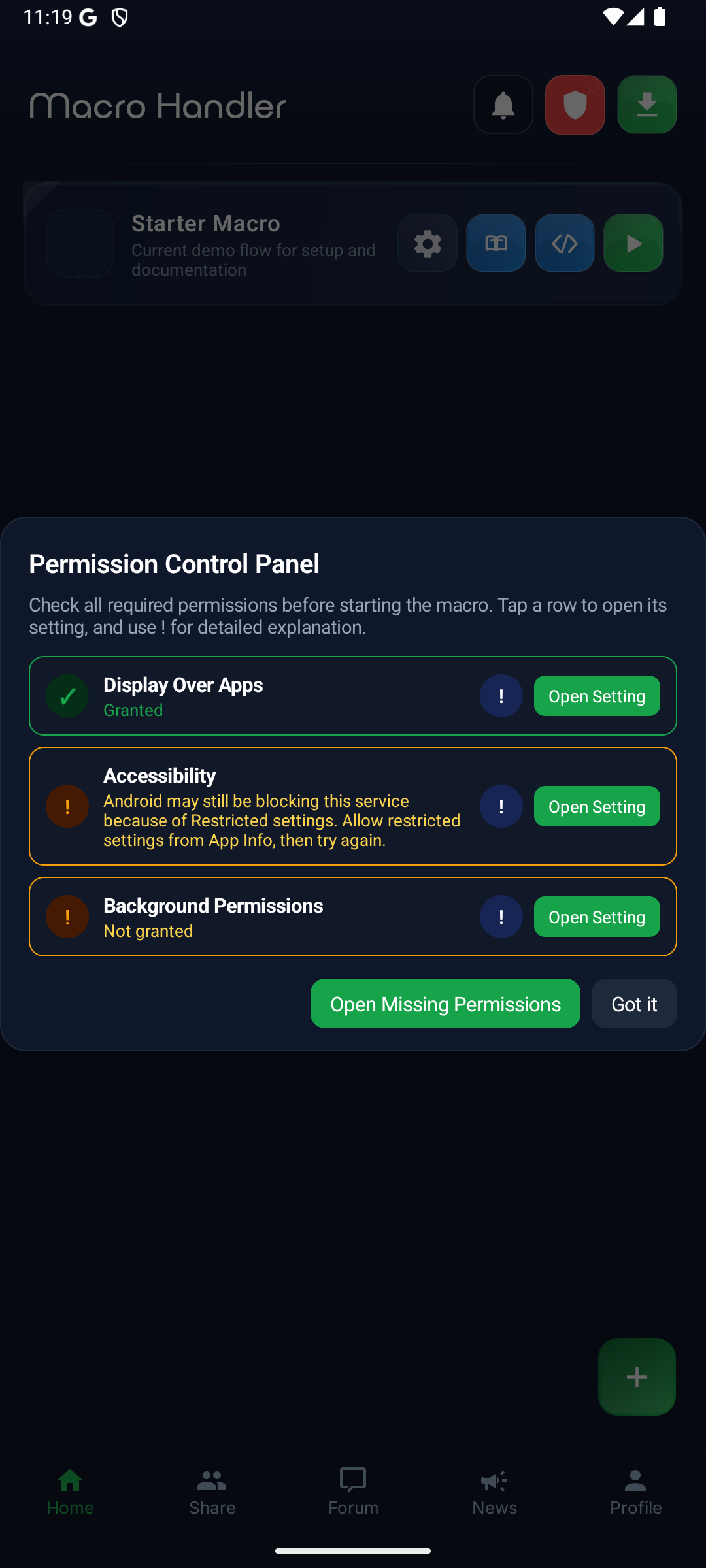
Get Macro Handler from Google Play, then grant the accessibility and display-over-other-apps permissions the setup guide walks you through.
Create a Macro
Build the flow with no-code blocks, the Logic workspace or Lua.
Test and Run
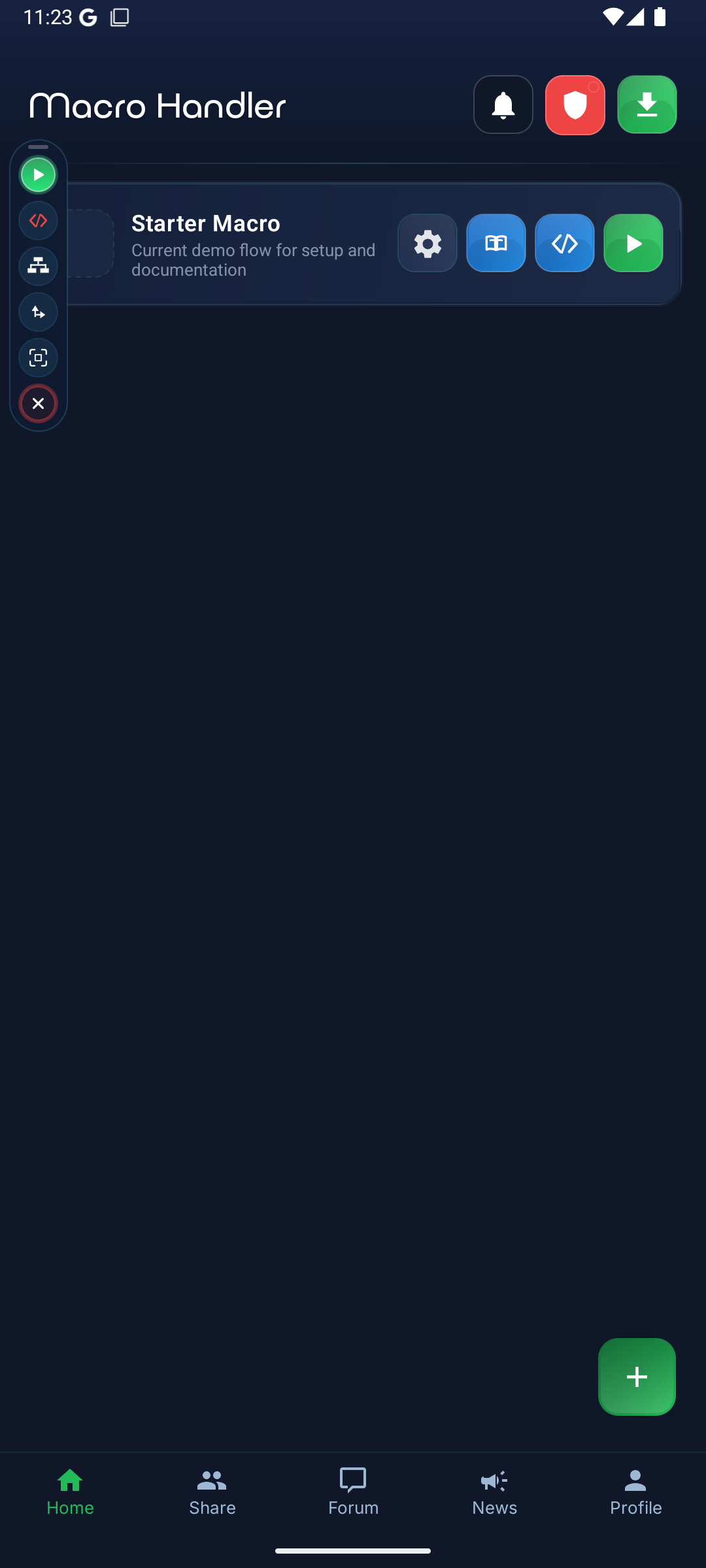
Test blocks one by one, then start and stop the macro from the floating control panel.
Share
Share macros privately or publish them to the community, depending on your plan.
Image detection
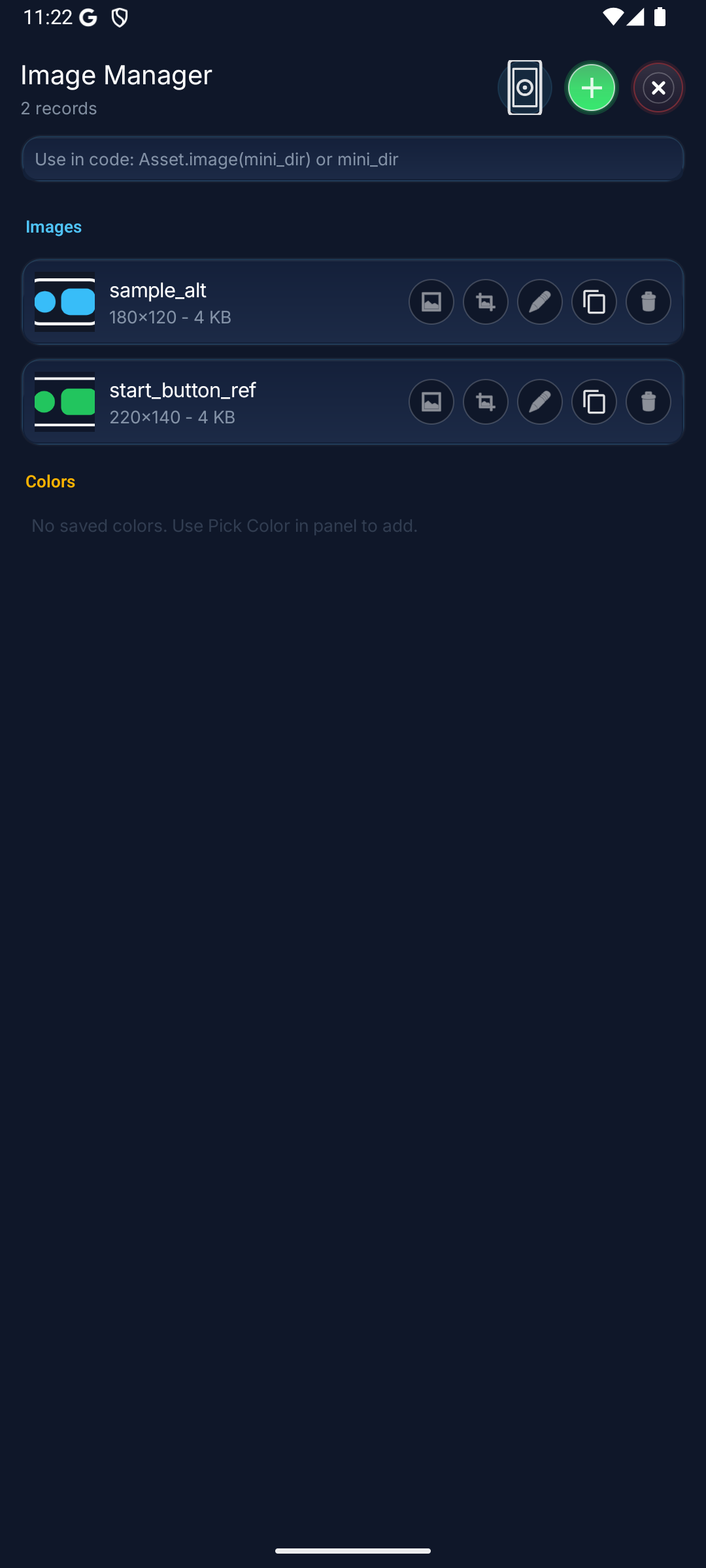
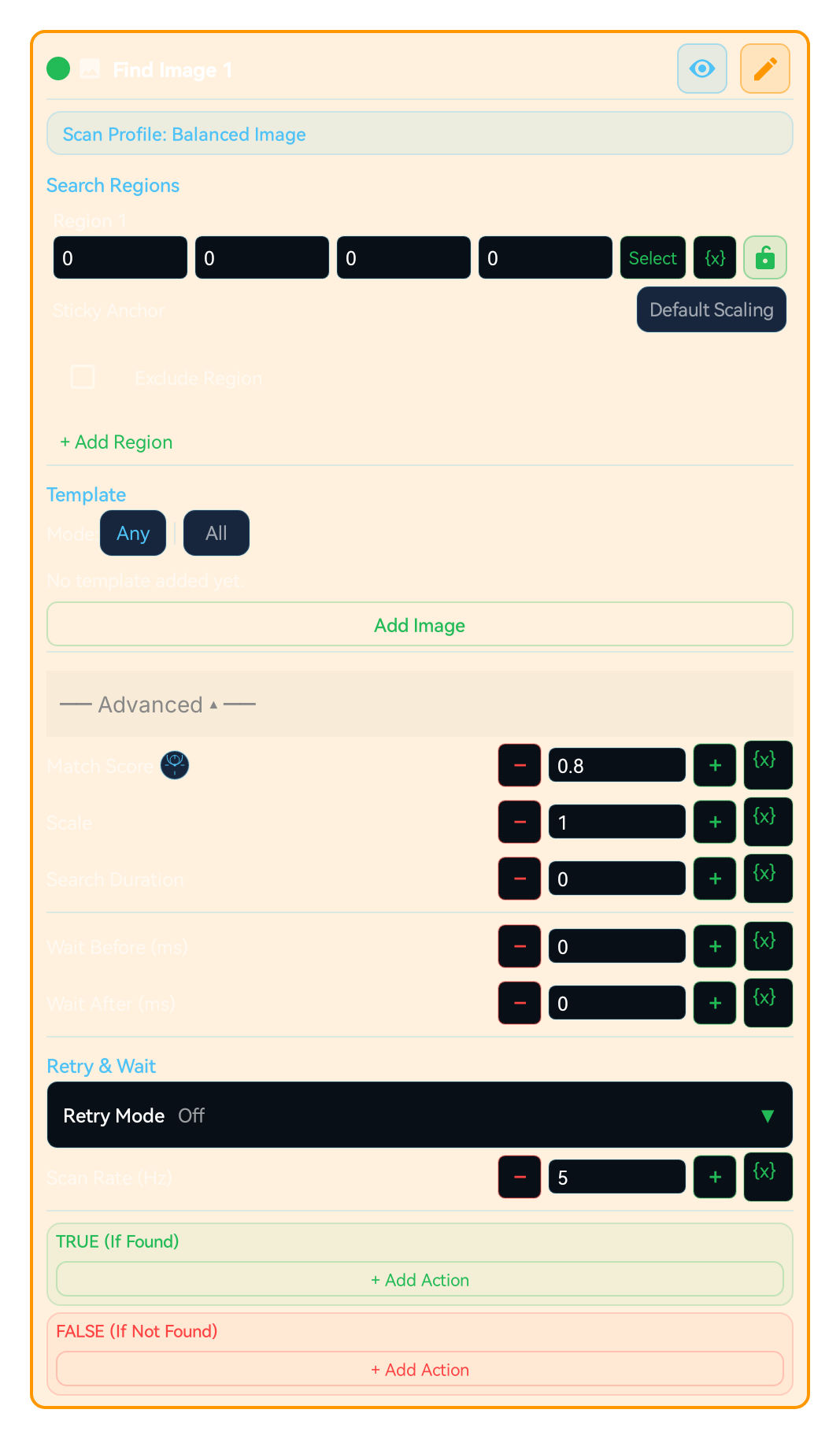
Capture the element you want to find as a template and limit the search to the screen region where it appears; a smaller region scans faster. The Image block branches on found or not found, can write the match score and position into variables, and lets a Click block tap exactly where the match was.
- One engine per scan, chosen for the job: Balanced, Precision, Color-aware, Small object, Edge / Shape, Feature and more
- Match ratio, scale and search duration set per block
- When a template appears in several places, pick the first, the highest score, the one closest to the centre or a random one
- Exclude areas of the search region that should never match
Features
Every capability, in one product
Everything you need to build and run macros. Open any card for the matching block or guide.
Taps and Gestures
Taps, long presses, swipes and multi-finger gestures, aimed at a coordinate or at the spot a search matched.
Image Detection
Find a captured template inside the region you choose, with the engine that suits it, then branch, tap or read the match position.
Text Recognition (OCR)
Read on-screen text and branch on it. Recognition runs on the device and covers Latin, Chinese, Japanese, Korean, Devanagari, Arabic and Cyrillic scripts.
Visual Macro Builder
Build flows without code. Compose larger scenarios with scans, variables, branching, loops, error handling, and group calls.
Triggers and Scheduling
Start a macro from the panel, a shortcut, a widget or the quick settings tile, or let it start itself at a set time, on an interval or when a notification arrives from an app you allow. When an app you chose opens, the control panel appears and waits for you to press play.
Lua Script Mode
Write Lua scripts with 700+ API methods for screen detection, gestures, HTTP requests, files, key-value storage and dialogs.
Sharing
Share a macro for a set period while you keep ownership, and optionally let recipients run it without opening the editors.
Color Detection Engine
Reliable color scanning with RGB tolerance and cluster validation. More stable results across lighting and display profile differences.
Math and Variables
Evaluate math expressions, draw random numbers and keep values in variables that later blocks can use.
MH AI Assistant
Built-in AI that chats naturally. In the current release it works with cloud providers such as Gemini, Claude, and OpenAI; on-device local models are on the roadmap and macro designs still pass through the approval gate.
HTTP Request API
Send GET, POST, PUT, PATCH, DELETE requests. Custom headers, parameters, body, content type, and timeout support.
KV Store
Persistent key-value storage across macro runs. Save and retrieve counters, states, and preference data.
Record & Replay
Record and replay touch sequences. Easily reproduce complex touch patterns without manual scripting.
Native UI Builder
Create Android dialogs with text fields, checkboxes, radio groups, and dropdowns via Setting.builder().
DateTime & Stopwatch
Build time-based automation with date/time arithmetic, time span measurement, and stopwatch timers.
Panel Control
Control the floating panel from scripts: show, hide, move it, and change its opacity.
Regex Engine
Powerful pattern matching: process text data with match, matchAll, find, replace, and split operations.
System API (50+ Methods)
Send intents, schedule tasks, get battery level, vibrate, open/close apps, and much more.
Product workflow
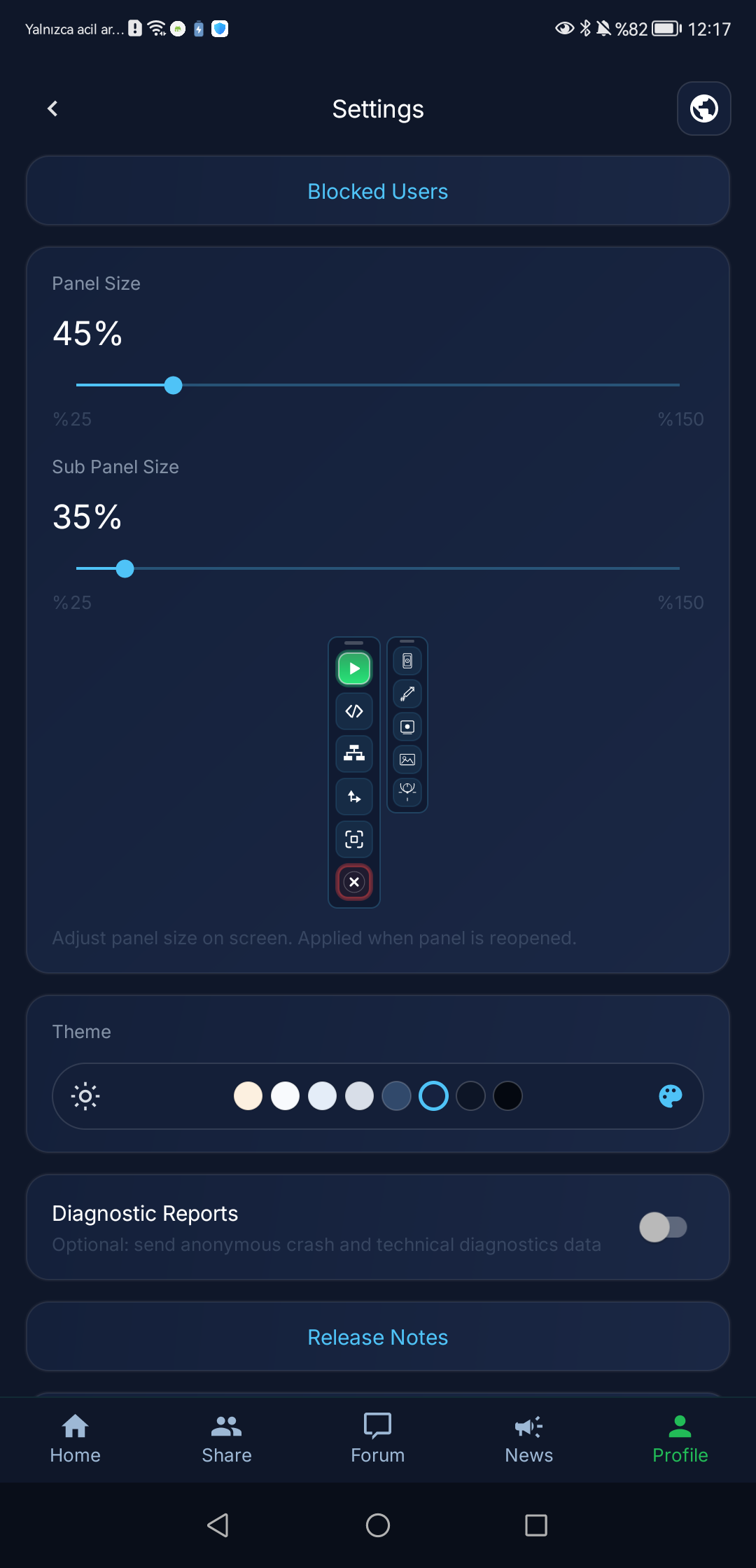
Real screens from setup to live control
Short demo videos of the app are on our YouTube channel: @macrohandler (opens in a new tab)
Start automating for free
Use core features for free, upgrade to Premium for advanced capabilities.
Free
$0
- Every no-code block, Lua scripting, and HTTP requests
- Each run stops after 1–5 minutes; start it again right away
- Read community forum topics after sign-in
- All documentation and guides
Premium
$10 / month
- Uninterrupted macro runs with no 1–5 minute limit
- Secure ZIP import and export for macros you own
- Personal Cloud Vault for 3 macros and account-to-account macro transfer
- Direct macro sharing with the people you choose
- Public macro publishing, downloads, and voting
- Google-account premium: up to 3 devices on the same account
- Priority support
Ready to automate?
Install the app, follow the setup guide and build your first macro.
Windows desktop · Technical preview
Macro Handler Desktop is coming
The Windows edition is under active development. It is not currently available to download or purchase.
No release date, full compatibility, or purchase availability is promised yet. Only verified capabilities will be announced.
- A workspace bound to the selected window
- A safe architecture for multiple macro sessions
- Familiar design and workflows for Android users
Technical scope and limits
14 languages are selectable on both the website and the Android app settings. The Android app starts in the phone's language when it is one of them, otherwise in English; the website starts in English. Users can switch either one to their preferred language at any time.
70 cataloged OCR locale-routing codes map to 7 OCR recognizer families: Latin, Chinese, Japanese, Korean, Devanagari, Arabic, and Cyrillic. The count shows which recognizer handles each code; it is not independently validated accuracy for 70 languages. Latin, Chinese, Japanese, Korean, and Devanagari use ML Kit recognizer packages; Arabic and Cyrillic use bundled Tesseract data for offline fallback. For scripts outside the listed recognizer families or rapidly changing glyph shapes, prefer template or image flows.
Macros can start manually from the dashboard, shortcuts, quick settings tile, and widget surfaces; the trigger modes cover daily time (classic clock or an advanced cron expression), repeating interval, app launch and close (an app launch opens the control panel and waits for you to press play), allowlisted notification posted and cleared, battery level, system broadcast, remote trigger (an encrypted FCM message that reaches only devices signed in to your own account; there is no public webhook, and the control that sends it is not available yet), charger connected and disconnected, screen on and off, and volume key. Every trigger can be narrowed with 10 conditions combined in an AND/OR/NOT constraint tree: screen on, charging, Wi-Fi, headset, device unlocked, macro idle, device orientation, battery level, time-of-day window, and foreground app. On the script side, the Event object exposes source, kind, mode, macroId, packageName, appName, title, body, and at fields.
The 800+ API methods claim applies to the default launch Lua runtime. The native Lua 5.4.8 runtime is experimental and not the default yet.
App screenshots use English product UI references. Product images stay in English even when the website language changes.
Runtime stability depends on the Android version, manufacturer background restrictions and correct permission setup. Supported Android versions · Device-specific battery and background steps