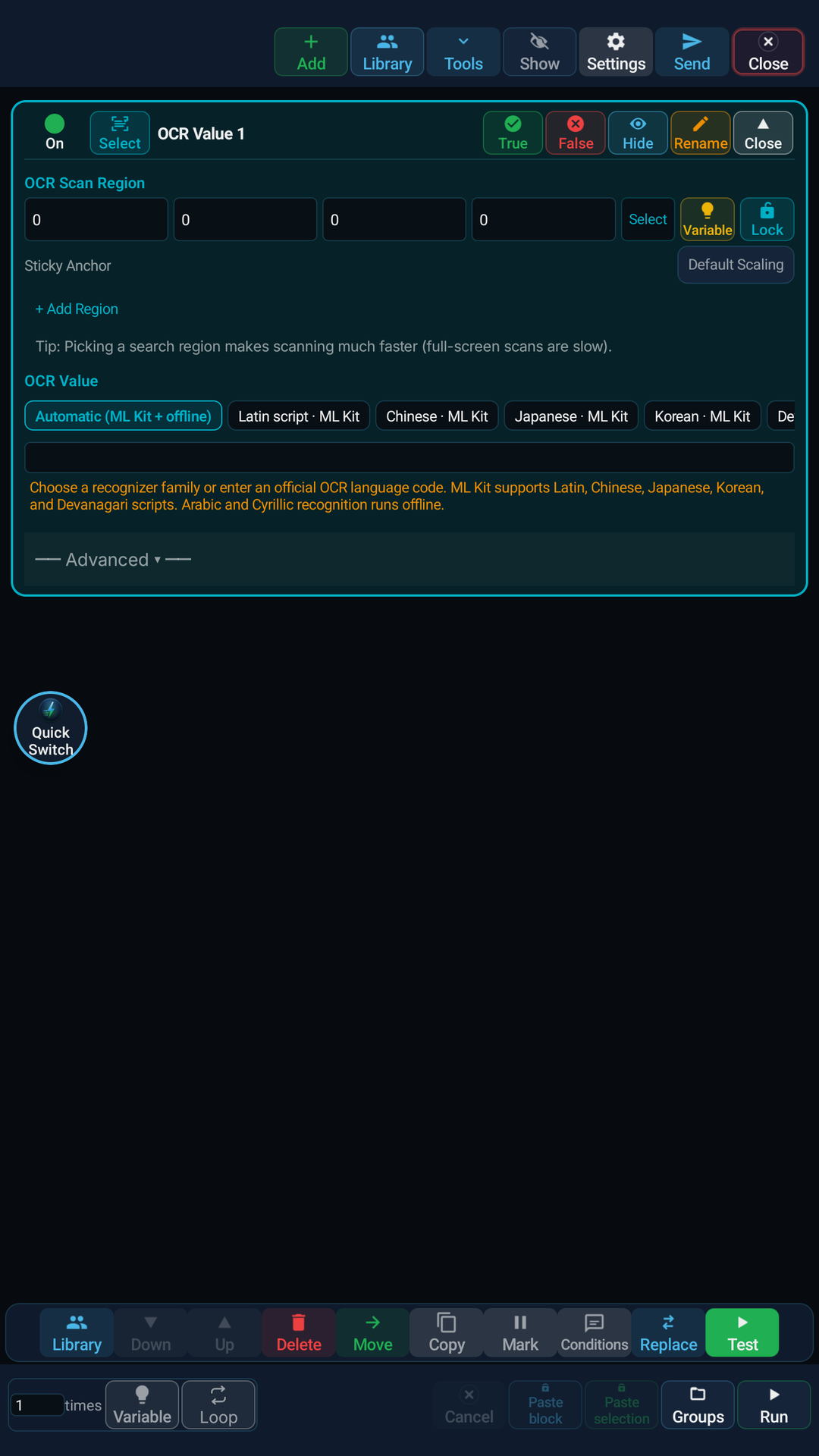
Read screen text with Android OCR
Branch on visible text or save a number from a known part of the screen.
1. Open a Text block, select a region around one label and choose the recognizer that supports its script.
English UI · 1.0.62Block Preview
Captured directly from the Visual Builder block card in the English app UI.
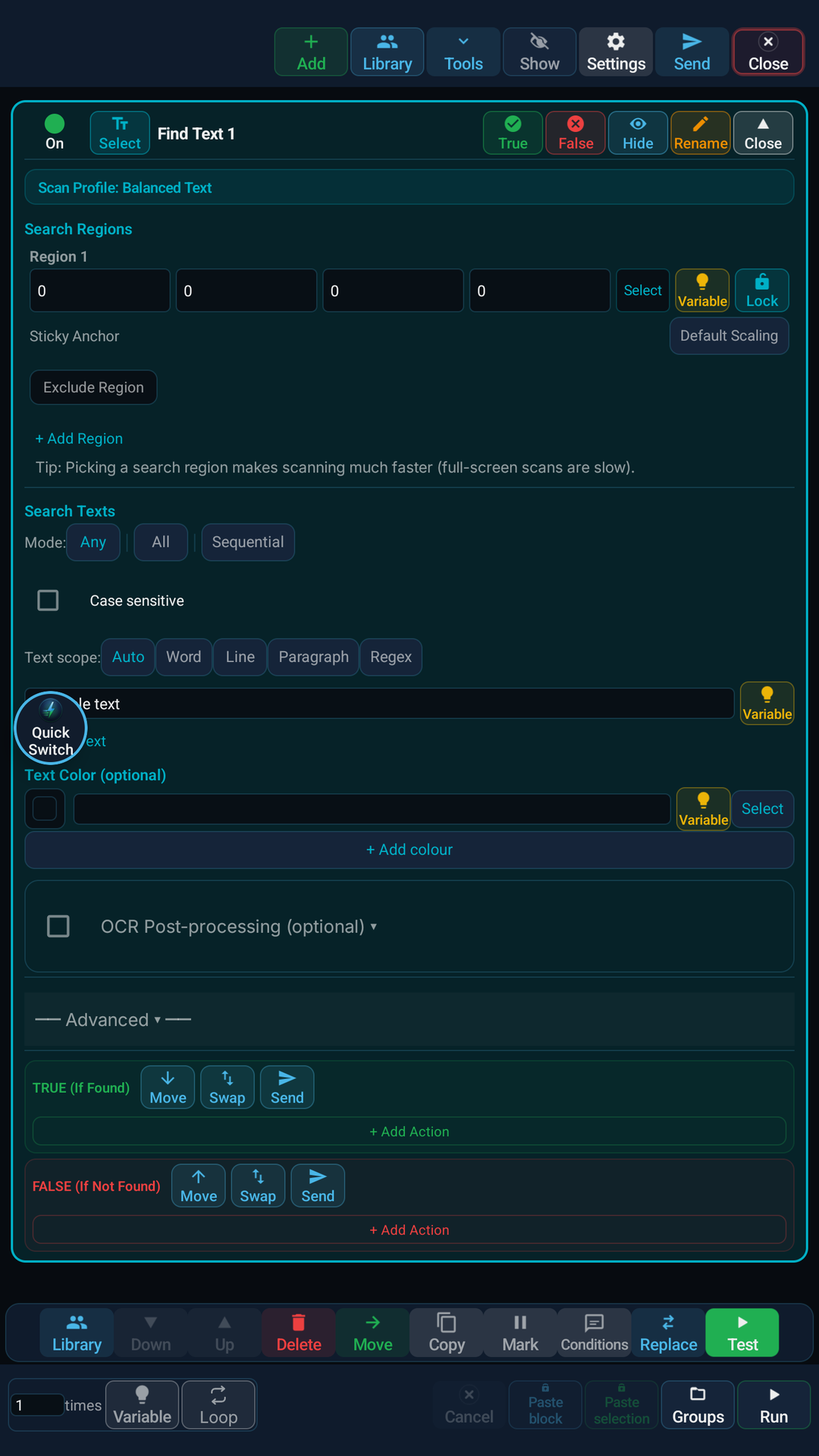
2. Enter the text to find. Connect the found branch to the next step and leave a separate path for a missing match.
English UI · 1.0.62Block Preview
Captured directly from the Visual Builder block card in the English app UI.
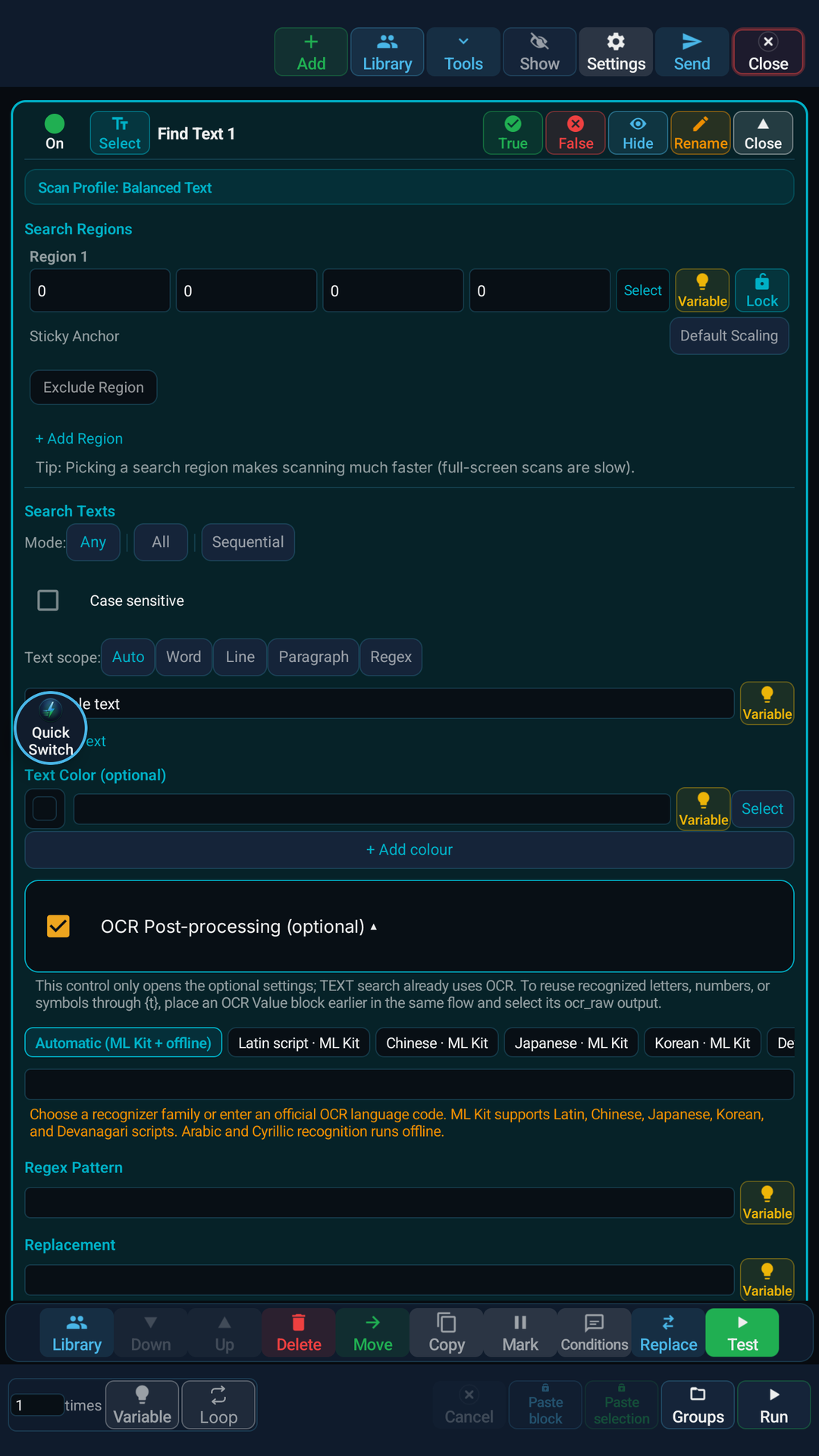
3. For a changing counter, use OCR Value and save the result to a variable. Test with the label present, absent and partially covered.
English UI · 1.0.62Block Preview
Captured directly from the Visual Builder block card in the English app UI.